To add contacts such as mobile phone numbers in the customer area, please follow the steps below:
1. Login to the customer area first.
2. If you forget your password, you can use the Forgot Password
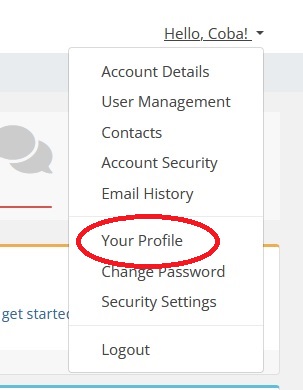
3. After successfully logging in, on the top right, click Nama Anda > Your Profile.
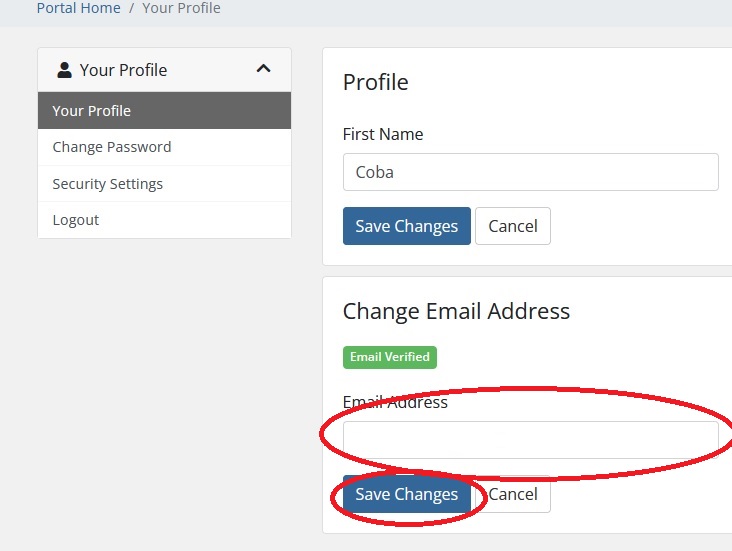
4. Change your email address as you need, then click Save Changes button.